

What we do · Storage and compute
Private Kubernetes on bare metal, OpenShift and OKD
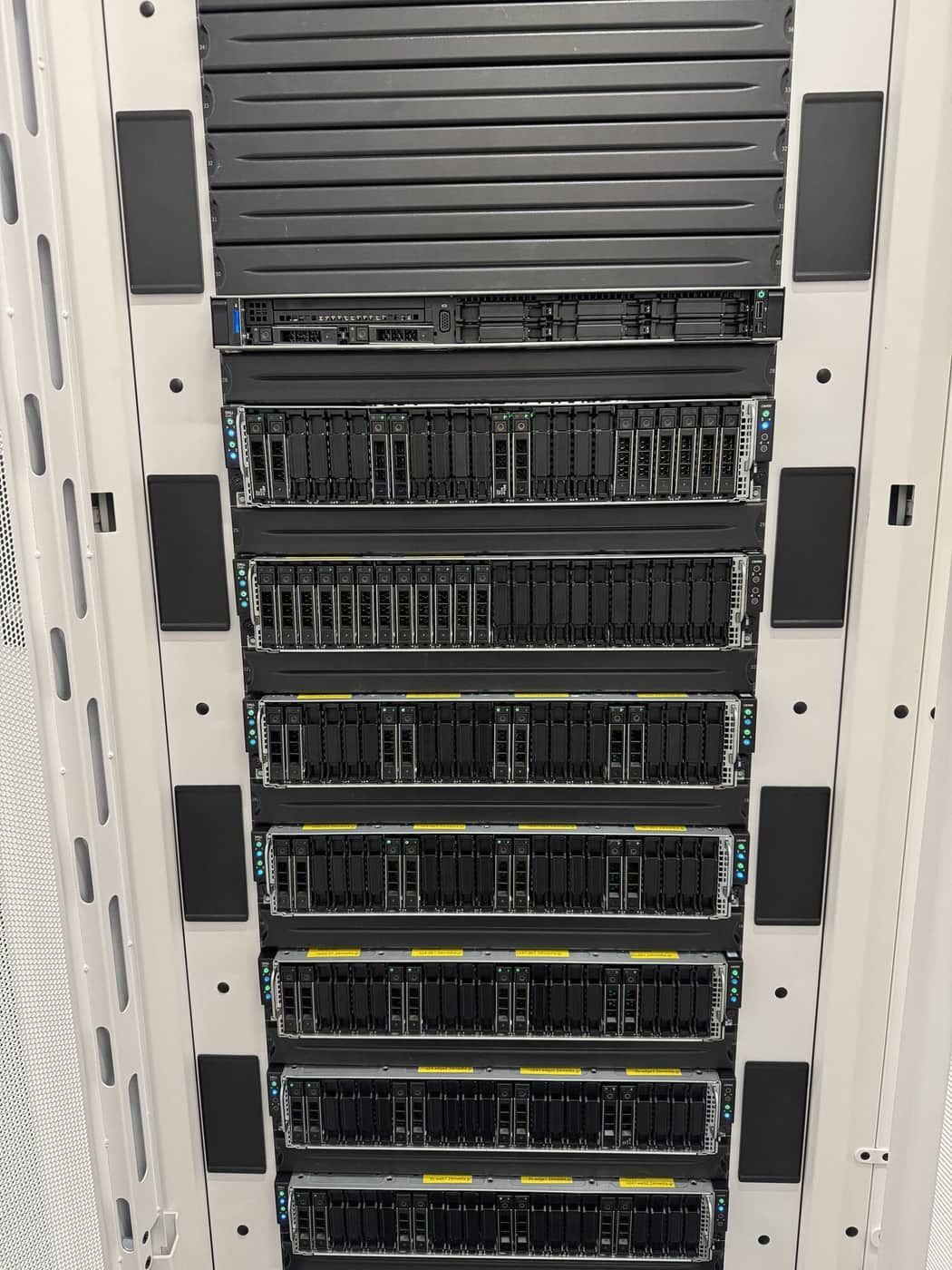
Kubernetes without a hyperscaler bill and without a shared control plane you do not control. We build OpenShift and OKD clusters on dedicated HPE and Dell servers in our datacenters, with persistent storage, real public IP addresses announced straight from the cluster, isolated ingress per tenant and failover measured in seconds.
What it is
OpenShift is the enterprise Kubernetes distribution; OKD is its community upstream. We build the cluster on bare metal, so your containers run on real CPUs with no virtualization layer in between, and we operate the platform underneath your workloads.
What it can do for you
Persistent storage for stateful workloads. Block volumes and shared read-write-many filesystems, replicated across nodes, so databases, queues and shared content survive the loss of a node. Volumes can be expanded in place, snapshotted and restored.
Real public IPs, no NAT, no extra appliance. Your services get public addresses announced over BGP directly from the cluster nodes to our network. No NAT in the path and no separate load balancer box in front of Kubernetes.
Failover in seconds. Every node advertises the service address, and fast link failure detection on the network side means traffic moves away from a failed node within a few seconds.
Isolation per tenant. Each tenant can get its own ingress controller, its own public IP, its own domain and an automatically renewing certificate, kept apart from other tenants and from the management network.
A bridge to what you already run. Containers that must reach your existing servers or databases do so through a dedicated egress identity on a private transit network, firewalled at the perimeter, so you can modernise one service at a time.
Databases built to survive maintenance. When we run clustered databases on the platform, such as Galera with Percona XtraDB Cluster, they are built with pod disruption budgets that keep quorum during rolling node maintenance, retained storage that is never deleted with a claim, and replicas spread across nodes.
How we build it
Dedicated HPE and Dell servers, installed by the agent-based installer over remote management virtual media, with the operating system on a mirrored SSD pair. All-flash storage inside the cluster. Every node dual-homed to a pair of leaf switches. Before a cluster carries a customer workload we fail nodes on purpose and time the recovery.
What it protects you from
- A single node failure taking a public endpoint offline.
- Losing stateful data with the node it ran on.
- One tenant seeing another tenant's traffic, secrets or capacity.
- Hyperscaler egress and control plane charges that grow with success.
- Rolling maintenance knocking a database cluster out of quorum.
In practice
Killing a node on purpose. In acceptance testing, we powered off the node carrying live traffic. The network rerouted in about three seconds.
Why EuroVPS
- OpenShift and OKD on dedicated bare metal, not on someone else's shared control plane.
- Public IPs announced from the cluster over BGP, with no NAT and no extra appliance.
- Per-tenant ingress, certificates and isolation as standard.
- A network, storage and platform team under one roof.
FAQ
OpenShift or OKD? OpenShift when you want Red Hat's subscription and support; OKD when you want the same platform from upstream. We build both.
Can I bring my existing Kubernetes manifests? Yes. We help adapt anything that depended on a specific cloud's services.
Do I get cluster admin? Agreed per build: full admin on a dedicated cluster, or scoped projects on a managed one.
Can my containers reach my legacy servers? Yes, through a dedicated, firewalled egress path.
Containers on real hardware, with a network that was built for them. Talk to an engineer about your platform.
Your next infrastructure partner
Let’s look at
your setup.
Tell us what you run today and what needs to improve. An engineer will review your brief and help you plan the next step.
+357 222 32280
who will look after your infrastructure.
Let’s start with your setup.
A little context helps us start the right conversation.