

Managed firewall
Your firewall.
Managed and verified.
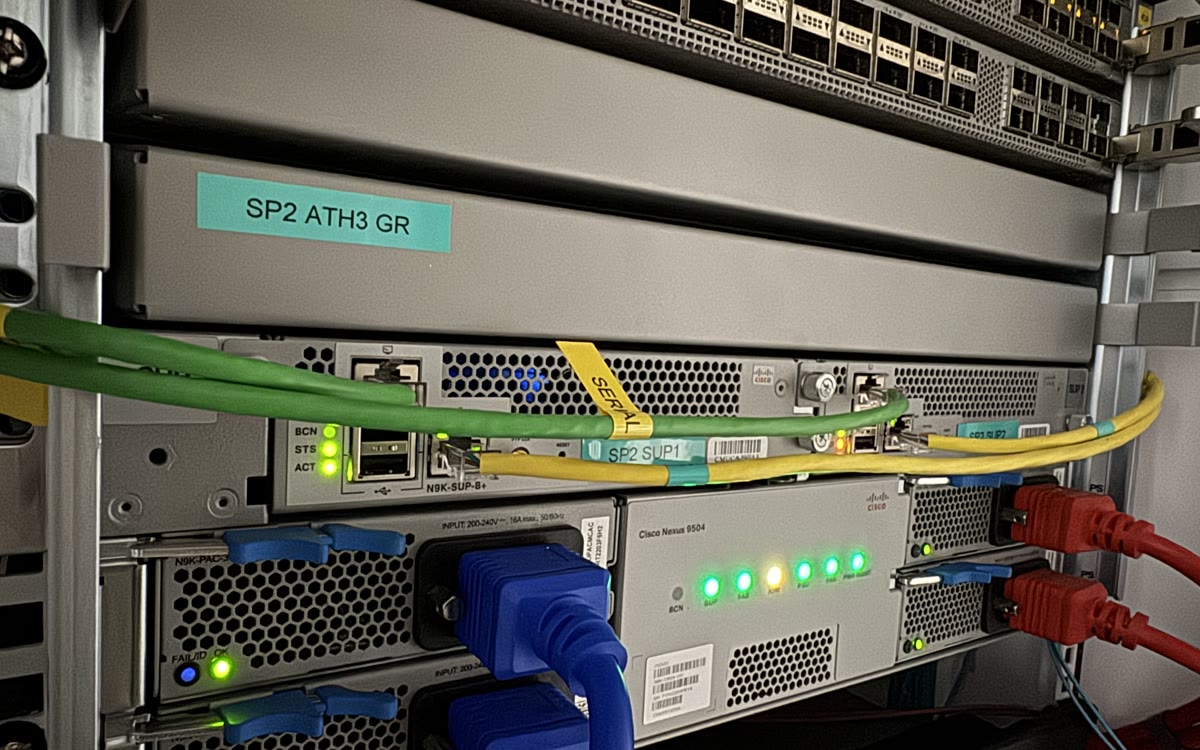
Cisco Firepower & OPNsenseMatched to requirements & budget
Versioned rulesReviewed, recorded changes
High availabilityA pair with automatic failover
Verified from outsideTested from an untrusted IP
The result the internet sees
Scan from outside.
Verify what answers.
We scan the firewall from an untrusted IP at handover and after every rule change, and send you the result.
TCP ports answered
Admin panels, SSH and the admin HTTPS port stayed unreachable from this source.
The managed perimeter
Your rules.
Our responsibility to run them.
You tell us what should be reachable and from where. We configure, monitor, maintain and test the firewall in front of your servers.
A dedicated firewall
A dedicated Cisco Firepower or OPNsense firewall of your own, matched to your requirements and budget, in front of your servers with per-IP and per-segment rules on public routed space. Different things can have different postures instead of all sharing one.
A high-availability pair
Two firewalls with automatic failover, the same setup we run on our own public edge, carrying our own traffic.
Threat intelligence
Known-bad sources are dropped before they reach your box. It will not silence your logs, but it takes a lot of the background scanning out of them.
Inside our own network
The firewall runs on our own hardware inside AS200477, our own autonomous system. It is a part of the network, not a box bolted in front of somebody else's cloud.
Scoped around your servers and public IPs.
A dedicated firewall is quoted for your setup, usually within a managed engagement. The host firewall on an individual managed server is already included in that server’s management.
Rules you can account for
Understand the policy.
Keep a record of the changes.
We make the operational work explicit, from the reason behind a rule to the check after a change.
Every rule is in version control, and the commit records who added it, when and why.
Default deny: if something is open, there is a rule for it and a commit behind the rule.
Changes are made through the API, and we tell you what changed.
A pair, with automatic failover. The same setup runs on our own public edge.
We scan it from an untrusted IP and send you the list of what answered.
Run inside the network we operate.
The firewall sits on our own hardware in AS200477. A cloud security group can also restrict access; the service here includes engineers who own the rules, test access from outside and show you the result.
Choose the right protection
A dedicated perimeter
has a specific job.
It may be more than a single server needs. It also doesn’t replace controls in your application.
You have one box and no public services.
If the host firewall on a single server is genuinely enough, we will tell you that instead of selling you a perimeter you do not need.
See what managed already coversYour problem is at the application layer.
A perimeter firewall does not stop credential stuffing or bots on port 443; for that we use edge traffic control.
See edge traffic controlYou want to run the rules yourself.
Then the auditing is yours as well, including proving from outside that the policy holds. The appliance is the smaller part of that work.
How we prove a fix workedBefore changing the rules
Let’s define
what should be reachable.
Server firewalls, dedicated appliances, isolation and the limits of network filtering. Get the scope clear before making a change.
Ask an engineerYes, and it still is. Every managed server we run gets its host firewall configured, patched and watched, at no extra cost. That covers one machine defending itself. This page is a different thing: a separate, dedicated firewall appliance sitting in front of several servers and public IPs, filtering traffic before it ever reaches them. If you have one VPS, you almost certainly do not need it, and we will say so.
Your next infrastructure partner
Let’s look at what
your firewall is blocking.
Tell us how many servers and public IPs sit behind it, and what needs to be accessible. We will discuss the rules, the checks, and the right scope.
+357 222 32280
who will look after your infrastructure.
Let’s start with your setup.
A little context helps us start the right conversation.
From the engineering team