

Fibre Channel zoning changes, one fabric at a time
How to apply Brocade zoning changes so a mistake can never take every path at once: single initiator zones, naming rules, staged enables, checks.
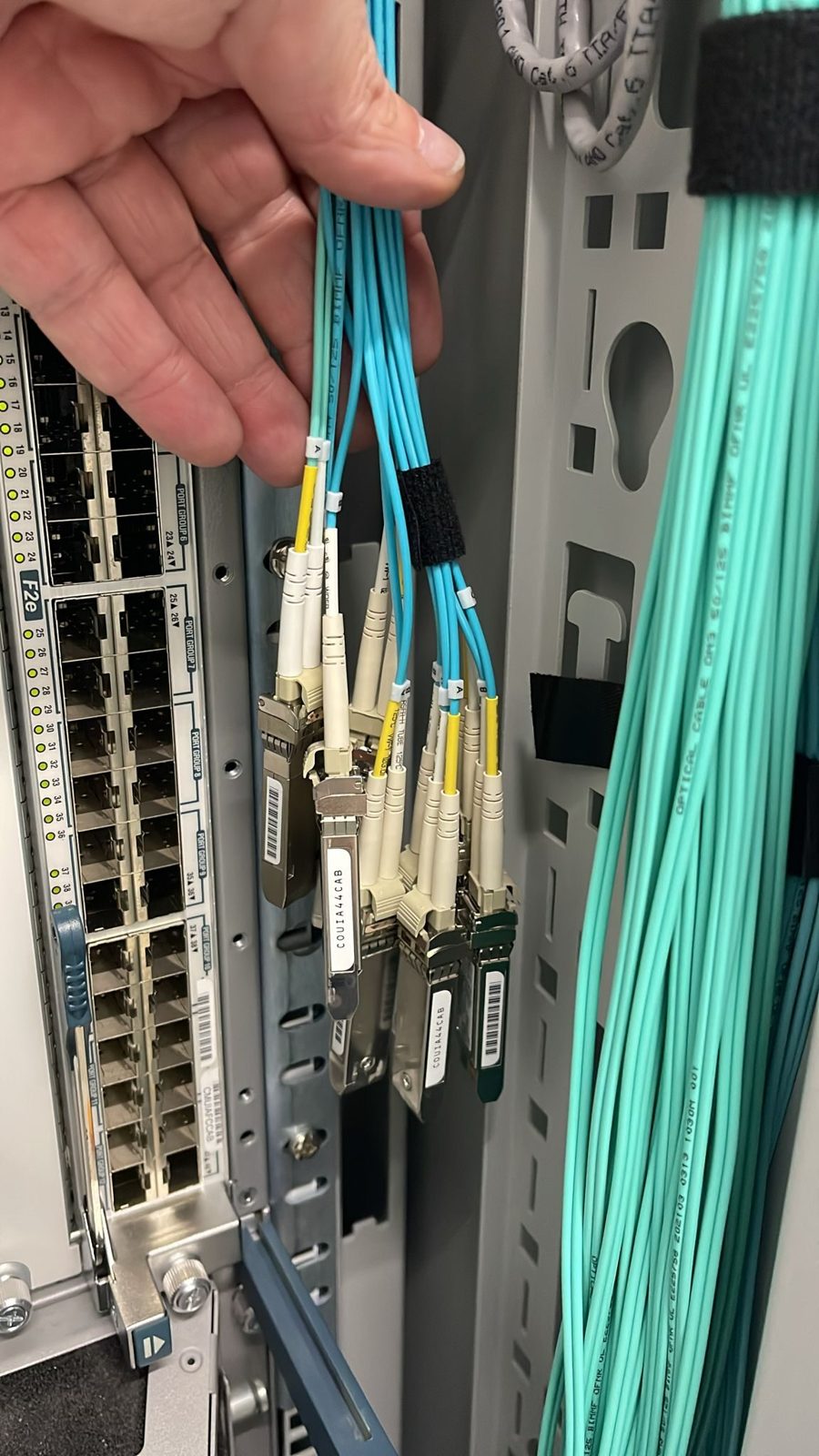
Two Fibre Channel fabrics protect you from a dead switch. They do not protect you from a careless zoning change applied to both fabrics in the same minute. The discipline that closes that gap is simple to describe and easy to skip: change one fabric, prove it, and only then touch the other.
Why zoning is the riskiest routine job in a SAN
Zoning decides which initiators (host HBA ports) may talk to which targets (array ports). It is changed every time a server is added, replaced or retired, so it is routine work, and routine work is where attention drifts. On a Brocade fabric the active zoning configuration is a single object. When you enable a new version of it, the whole fabric takes the new version at once. A typo that drops a zone, a member pasted into the wrong zone, or a configuration enabled before it was finished can remove a production host's access to its disks on that fabric instantly.
On a single fabric, that is an outage. On a correctly built dual fabric, it is a path loss, provided the other fabric was not changed in the same way at the same time. Many operators prepare one script and run it against both switches back to back. That turns two independent fabrics into one shared point of failure: the person holding the script.
Design the zones so mistakes are visible
Single initiator zoning. Each zone contains one host HBA port and the array ports it should see. Hosts never share a zone, so an HBA that misbehaves cannot disturb its neighbours, and removing a host means removing its zones and nothing else.
Aliases, not raw WWPNs. Every port gets an alias, and zones are built from aliases.
A naming rule that carries the fabric. Put the fabric letter in every alias and zone name, so a zone for Fabric A pasted into Fabric B is obviously wrong to anyone reading the change. Keep names to uppercase letters, digits and underscores. Some fabrics refuse hyphens and other characters in object names, and names are case sensitive, so one convention used everywhere removes a whole class of errors.
alias:  WEB01_HBA_A          -> <host port WWPN, fabric A>
alias:  ARRAY1_N0_P1_A       -> <array port WWPN, fabric A>
zone:   Z_WEB01_A__ARRAY1    -> WEB01_HBA_A; ARRAY1_N0_P1_A; ARRAY1_N1_P1_A
config: CFG_FABRIC_A
Before you start: pre-flight
Save the current state of both fabrics before you change anything:
cfgshow
cfgactvshow
zoneshow
alishow
nsshow
cfgtransshow
nsshow (the name server) confirms the new host's ports have actually logged into the fabric and shows the WWPNs as the switch sees them, which is what you should build aliases from rather than a label on a box. cfgtransshow tells you whether someone else has an open zoning transaction on this fabric. If one is open and it is not yours, stop and find out whose it is.
On every existing host that the change could touch, record the path counts (multipath -ll), so you can prove afterwards that nothing changed for them.
The change itself, one fabric at a time
Start with the fabric you would rather lose. Build the whole change in one session, as one transaction:
alicreate "WEB01_HBA_B", "<host port WWPN, fabric B>"
zonecreate "Z_WEB01_B__ARRAY1", "WEB01_HBA_B; ARRAY1_N0_P2_B; ARRAY1_N1_P2_B"
cfgadd "CFG_FABRIC_B", "Z_WEB01_B__ARRAY1"
cfgenable "CFG_FABRIC_B"
cfgenable saves the configuration and makes it active in one step, and it asks for confirmation before it commits. If you script it, the script must answer that prompt and then read the output for the commit message, not assume success because the command returned. Nothing is live until the enable completes, which is your last chance to read the staged change once more with cfgshow.
Then verify, from three places:
- The switch.
cfgactvshowcontains the new zone, and every zone that was there before is still there. - The array. The new host's port on this fabric now shows as connected to the expected array ports.
- The hosts. The new host sees its volumes through this fabric's HBA port. Existing hosts show exactly the path counts you recorded in the pre-flight.
On the new Linux host, a rescan and a look at the HBA is enough:
cat /sys/class/fc_host/host*/port_state
rescan-scsi-bus.sh
multipath -ll
Only when all three agree do you repeat the same change on the other fabric, built the same way and verified the same way. If anything looks wrong on the first fabric, you stop there. Production is still running on the untouched fabric, and you have your saved configuration to restore.
After the change
Update the inventory in the same session, so the fabric and the record never disagree.
How we do it
Our fabrics are built as two fully independent Brocade fabrics, from the core switches down to the switches embedded in our HPE blade enclosures. A batch of new servers can be zoned one fabric at a time in minutes of fabric change time, while the zones carrying production stay exactly as they were.
If your next storage change involves touching both fabrics, we are glad to look over the plan with you before it runs.
Published 22 October 2026.
All field notes